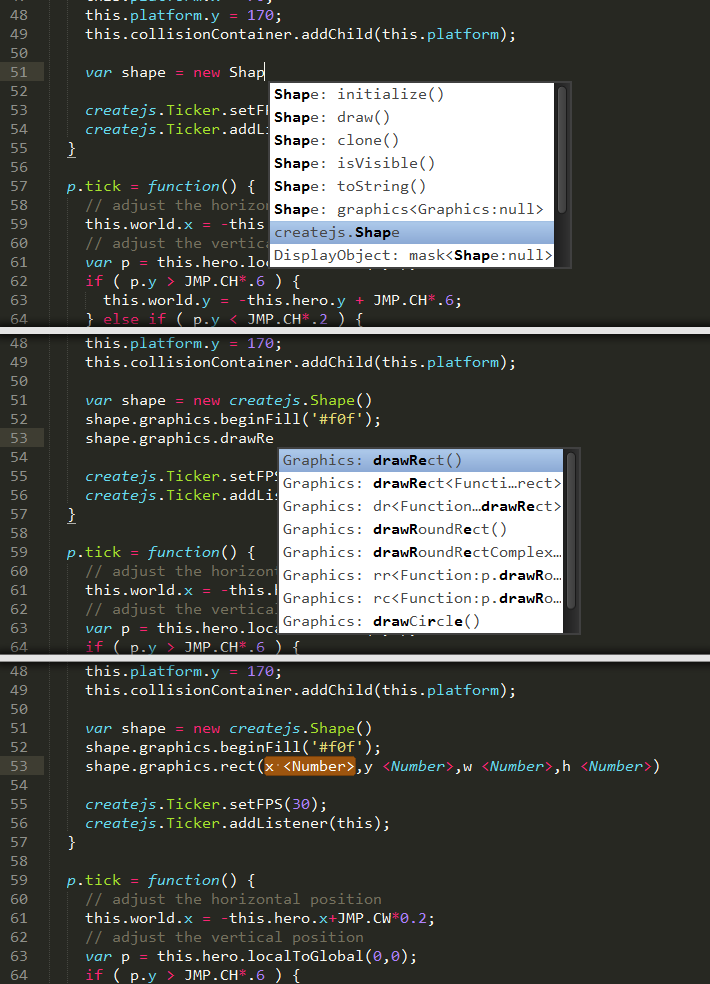
Today I was trying to scrape the EaselJS-Classes for their public methods and properties to generate an EaselJs-CodeCompletion for SublimeText2. I had some difficulties getting a unified set of information for each method/property because the code does not seem to be consistently documenten. But well, here’s the result: It’s far from perfect but it works. Please feel free to fork it and help to make it better.
Github: https://github.com/olsn/SublimeText2-EaselJS-Completion


Hey, thanks this looks great. I don’t get any suggestions from the createjs namespace, am i doing something incredibly dumb?
thanks
Rich
Hm, when did you download it?
During the first 20h after I opened the repository there was an error preventing me from pushing the correct completion-file, but if you downloaded it today, that should be fine.
Also make sure that you choose the correct syntax, you have to choose: ‘JavaScript EaselJS’, not just ‘JavaScript’ – I have to see if I can activate it for both syntaxes.
Hope that helps, cheers!
Oh, or do you mean just all the constructors do not work?
…somehow they got lost, I’ll fix that asap!
edit: Just pushed a fix for most missing Constructors&Static methods to github, check it out to see if it works now.
cheers
Hey there, yeah it was the missing constructors – sorry for my poor description – but now it works! Thanks very much, this will be really useful
Cheers
Yeah, somehow that file got lost on the first checkin and i forgot to add those after recrawling it.
Glad it works now!
Any way to just use the code-completion and not syntax highlighting?
I’m writing in coffeescript so want to keep my coffeescript syntax highlighting, but would still love to use the easeljs code-completion.
yes, just open the JavaScript-EaselJS.sublime-completion and adjust the second line:
“scope”: “easel-source.js”
you can either change the scope or add an additional scope like this:
“scope”: “easel-source.js source.coffee” (I believe that ‘source.coffee’ is the scope-name for coffeeScript)
Brilliant! Thanks for that!
Hello there!
I really like the colours in your code highlighting theme. Is it custom or a modded monokai downloadable from … ;-?
it’s Monokai Bright – I think that came packaged with Sublime – if I remember correctly, if not you can find it at Google